Binary Converter
Convert between text, binary, hex, and decimal.
01 Overview
About Binary Converter
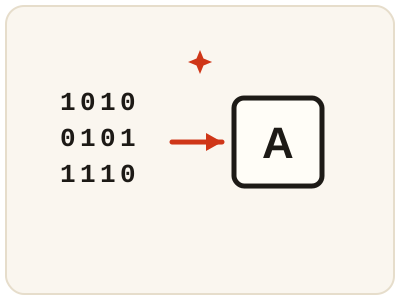
Binary Converter switches a value between text, binary, hexadecimal and decimal, showing how the same data looks in each system: every character is assigned a numeric code, and that number written in binary is why the same letter always produces the same pattern of ones and zeros. Hexadecimal — sixteen digits — is the compact way to write binary, which is why it appears in color codes, memory addresses and data dumps. Students use it to check number-system homework, developers to decode values from logs and protocol dumps. Convert the result back to check it matches. It runs in your browser; your values never leave your device.
02 Workflow
How to use Binary Converter
- 1Enter your valueType or paste a value in text, binary, hex or decimal form. Keep inputs short while learning, so the output stays easy to follow.
- 2Choose both formatsPick the format you are converting from and the one you want to convert to.
- 3Read the converted valueCompare the equivalent forms side by side until the relationship between them clicks.
- 4Check by converting backConvert the result back to the original format to confirm it matches, then use the value in your study, code or debugging work.
03 Good to know
Frequently Asked Questions
What is binary, in simple terms?
Binary is counting with only two digits, 0 and 1. Each digit is a bit, and groups of bits represent numbers, letters and all other data inside a computer.
How does text become binary?
Each character is assigned a numeric code, and that number is written in binary. Converting text to binary shows those codes, which is why the same letter always produces the same bit pattern in a given encoding.
Can I convert a whole sentence?
Yes, text conversion works character by character, so a word or sentence converts into a longer string of binary or hex. Keep inputs short while learning, so the output stays easy to follow.
What is the letter A in binary?
01000001. In the ASCII code the letter A is assigned the number 65, and 65 written in binary is 01000001. Every letter has its own number and its own bit pattern, which is why the same letter always produces the same binary.
What is the number 10 in binary?
1010. Binary counts with only 0 and 1, so 10 in decimal is one eight plus one two, written as 1010. Small numbers are the easiest way to learn the pattern — try converting 1, 2, 4 and 8 first, then build up from there.
What is hexadecimal used for?
It is the compact way to write binary — sixteen digits instead of two — which is why it appears in colour codes, memory addresses and data dumps. A web colour like #FF0000 is really three hexadecimal bytes, one each for red, green and blue, and converting it shows the same value in binary or decimal.
How do I convert binary back to text?
Choose binary as the format you are converting from and text as the target, and the tool shows the characters the bit patterns stand for. Convert the result back again to confirm it matches your original text, which is a good check that nothing was mistyped.