Canonical Tag Generator
Generate canonical link tags.
01 Overview
About Canonical Tag Generator
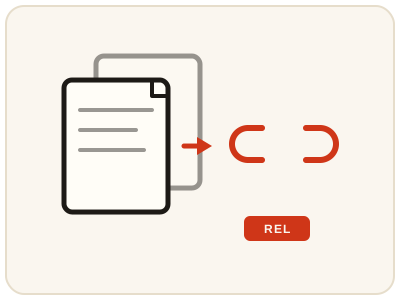
Canonical Tag Generator creates a canonical link tag for a page — the tag that tells search engines which URL is the preferred version when the same or similar content exists at more than one address, as happens with tracking parameters, print versions, sorting options or http and https variants. Without one, search engines must guess which version to show; pointing them to one preferred URL consolidates the signals for that page. Use the full absolute URL, exactly as you want it treated. It runs entirely in your browser.
02 Workflow
How to use Canonical Tag Generator
- 1Enter the preferred URLType the canonical URL for your page — the full address, including https and your domain.
- 2Generate the tagThe canonical link tag is built locally in your browser.
- 3Review it exactlyMake sure the URL is precisely right before you copy anything.
- 4Add it to every variantPaste the tag into the head of each duplicate or variant page, not just the preferred page itself — and recheck it after redesigns or migrations, which can introduce new duplicates.
03 Good to know
Frequently Asked Questions
What is a canonical tag?
A canonical tag is a link element in the head of a page that names the preferred URL for that content. Search engines use it to choose one version when duplicates exist.
When do I need a canonical tag?
Use one when the same or very similar content is reachable at multiple URLs, such as versions with tracking parameters, sorting options, or http and https addresses.
Should the canonical URL be absolute?
Yes. Use the full URL, including https and your domain, exactly as you want search engines to treat the preferred version of the page.
What happens if I set the wrong canonical URL?
Search engines may index the wrong version of the page, or ignore the tag if it contradicts the page content. Always double-check the URL is exactly the preferred version before you publish the tag.
Can a page canonicalise to a different page?
Yes. When two pages carry duplicated or near-identical content, the duplicate can point its canonical tag at the preferred page, so search engines consolidate the signals for that content on one URL.
Do I need a canonical tag if I have no duplicate content?
It is still common practice to include a self-referencing canonical tag, one that points at the page itself. It confirms the preferred URL and protects against duplicates created later by tracking parameters or sorting options.
Where exactly does the canonical tag go?
In the head section of the page, as a link element with rel set to canonical and href set to the preferred URL. It must appear on every variant page, not only on the preferred page itself.