JPEG to JPG
Re-export JPEG files as JPG.
01 Overview
About JPEG to JPG
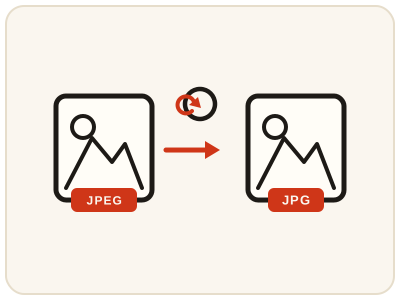
JPEG to JPG re-exports a JPEG picture with the shorter .jpg extension, for the older systems, upload forms and apps that reject a file ending in .jpeg. JPEG and JPG are the same format with two different names, so nothing about the picture changes — the quality, colors and size stay the same. It runs in your browser and simply gives the same picture the file name stricter systems expect.
02 Workflow
How to use JPEG to JPG
- 1Choose your JPEG filePick the .jpeg picture from your device. It stays on your device and is never uploaded.
- 2Re-export as JPGThe JPG version is prepared locally in your browser.
- 3Preview the JPGConfirm it looks identical to your original picture.
- 4Download and submitSave the JPG and upload or submit it wherever the JPEG file was previously rejected.
03 Good to know
Frequently Asked Questions
Are JPEG and JPG actually different formats?
No. They are the same format. JPEG is the full name and JPG is the shortened three-letter extension that older systems required. The picture data inside is identical either way.
Will converting JPEG to JPG reduce quality?
No. Because the format is the same, re-exporting as JPG does not recompress or degrade the picture. It simply gives the file the extension that stricter systems expect.
Could I just rename the file instead?
Renaming a .jpeg file to .jpg often works, but some systems check more than the name, and renaming is easy to get wrong on a phone. Using the converter produces a clean JPG file without the guesswork.
A form accepts only .jpg files and rejects my .jpeg photo — how do I fix it?
Re-export the photo here as JPG and upload that copy. The picture is unchanged; only the extension becomes the three-letter form the stricter system expects.
Can I convert JPEG to JPG on my iPhone or Android phone?
Yes. The tool runs in the phone's browser, so a .jpeg photo can be saved as a .jpg copy and uploaded to the form that rejected it, without moving to a computer.
Why do some of my photos end in .jpeg instead of .jpg?
Both endings come from the same format. The shorter .jpg dates from systems that allowed only three letters per extension; some cameras, phones and apps still write the full .jpeg, which is why a converter like this one is occasionally needed.
Can I convert a JPEG without uploading it anywhere?
Yes. The re-export happens locally in your browser — the photo never leaves your device — so it is safe for personal pictures and documents.