JSON Minifier
Minify JSON and reduce payload size.
01 Overview
About JSON Minifier
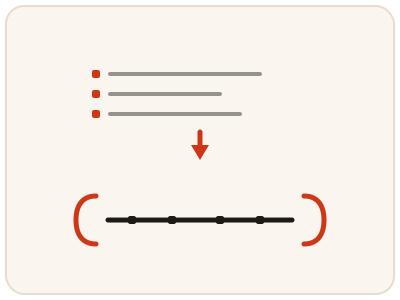
JSON Minifier strips every unnecessary character from JSON — spaces, line breaks and indentation — and compresses it into the smallest valid form, usually a single line. The data stays exactly the same; only the file gets smaller, which suits API payloads, embedded configuration and storage. Minifying is the reverse of formatting: pretty-printed JSON is for reading, minified JSON is for moving. Keep the readable original as your working copy. It runs entirely in your browser, so payloads and config data stay private.
02 Workflow
How to use JSON Minifier
- 1Paste your JSONAdd formatted or pretty-printed JSON. Confirm it is complete and valid first, since minification needs well-formed JSON.
- 2Run the minifierAll unnecessary whitespace is removed and the JSON collapses into compact form, on your device.
- 3Check the savingCompare the original and minified sizes to see how much was saved.
- 4Copy the compact JSONUse it in your API request, configuration or storage. To read or edit it later, paste it into the JSON Formatter to expand it again.
03 Good to know
Frequently Asked Questions
Does minifying JSON change the data?
No. Minification only removes whitespace characters — spaces, tabs and line breaks — that JSON parsers ignore. The keys, values and structure remain exactly the same.
How much smaller does minified JSON get?
It depends on how much indentation the original had. Deeply nested, heavily indented JSON can shrink by 20 to 40 percent, while already compact JSON shrinks very little.
Is minified JSON still valid JSON?
Yes. Minified JSON is fully valid and any JSON parser will read it exactly like the formatted version. It is simply harder for humans to read, which is why you keep a formatted copy for editing.
When should I minify JSON instead of formatting it?
Minify when the JSON is being sent or stored, such as in an API request, an embedded configuration or a database field, where size matters. Format it when a person needs to read or edit it. The data is identical either way; only the presentation changes.
Can I minify JSON that contains comments?
No. Standard JSON does not allow comments, so JSON with comments in it is invalid and cannot be minified as it stands. Remove the comments first, or keep them only in your working copy and minify a clean version for use.
Does minified JSON work in every API?
Yes. Any JSON parser reads minified JSON exactly like formatted JSON, because parsers ignore the whitespace that minification removes. APIs, configuration files and data stores all accept the compact form.
How do I read minified JSON again?
Paste it into the JSON Formatter, which expands it back into indented, readable form with the same data. That is the normal round trip: format to read and edit, minify to send or store.