PNG to JPG
Convert PNG images to JPG.
01 Overview
About PNG to JPG
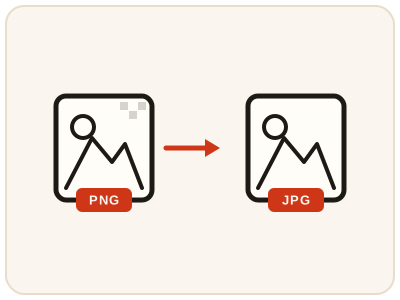
PNG to JPG turns PNG pictures into smaller JPG files in your browser — the simplest fix when a website caps upload sizes or an email refuses a big screenshot or photo attachment. For photographs especially, the size saving is usually dramatic while the picture still looks fine. The one trade-off is transparency: JPG cannot store see-through areas, so they become solid in the converted file. Logos that rely on transparency should stay PNG.
02 Workflow
How to use PNG to JPG
- 1Choose a PNG imagePick the PNG picture from your device. It is converted locally, never uploaded.
- 2Check the transparencyIf the picture has see-through areas you need to preserve, keep the PNG and use the JPG only where a solid background is fine.
- 3ConvertStart the conversion and wait a moment while the JPG version is prepared.
- 4Compare and downloadConfirm the JPG looks acceptable, then save the smaller file for sharing, uploading or emailing.
03 Good to know
Frequently Asked Questions
How much smaller will my JPG be than the PNG?
It depends on the picture. Photographs and detailed screenshots often shrink by a large amount, while simple graphics with flat colors shrink less. Either way, the JPG is almost always smaller than the equivalent PNG.
Will I lose transparency when converting PNG to JPG?
Yes. JPG cannot store transparency, so see-through areas become solid. If you need the transparent version, keep your original PNG alongside the JPG.
Is JPG good enough for photos?
For sharing, web pages and everyday viewing, yes. JPG was designed for photographs and keeps them looking good at much smaller sizes than PNG.
A form rejected my PNG — how do I give it a JPG instead?
Upload the PNG here, convert, and upload the JPG copy. Many application, job and marketplace systems accept only JPG, and the converted file is smaller as well as compatible.
Will the text in my screenshot stay readable after converting to JPG?
For most screenshots, yes — text stays clear at normal viewing sizes. Very small text can soften slightly because JPG is a lossy format; if every pixel matters, keep the PNG as your master and use the JPG only where it is required.
Can I convert PNG to JPG on iPhone or Android?
Yes. The tool runs in the phone's browser, so screenshots and saved pictures can be converted and shared or uploaded without moving them to a computer.
My PNG is too big to email — will a JPG help?
Almost always. Photographs and detailed screenshots usually shrink dramatically as JPG, which makes them far easier to attach to an email or send in a chat. Simple flat-colour graphics shrink less, but the JPG is still normally the smaller file.