Remove Duplicate Lines
Deduplicate repeated lines from text.
01 Overview
About Remove Duplicate Lines
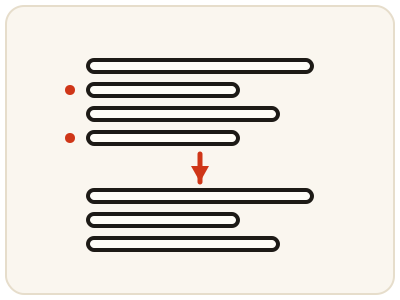
Remove Duplicate Lines deletes repeated lines from your text, leaving one copy of each unique line — the tedious cleanup for lists of email addresses, keywords, names, URLs, product codes or spreadsheet copies where the same entry appears several times. It works line by line and removes only exact repeats, so near-duplicates with different spelling or spacing survive and are worth scanning for afterwards. It runs entirely in your browser, so lists of names, emails or codes stay private.
02 Workflow
How to use Remove Duplicate Lines
- 1Paste your listAdd your text with one item per line. It is processed locally on your device.
- 2Run the deduplicationExtra copies of every repeated line are removed, keeping one of each.
- 3Review the cleaned listCheck that no needed line was removed, and scan for near-duplicates with different spelling or spacing — only exact repeats are removed.
- 4Copy it onwardPaste the unique list into your document or next tool; sort it first with the Text Sorter if you need it in order.
03 Good to know
Frequently Asked Questions
What counts as a duplicate line?
A line that appears more than once in your pasted text. The tool keeps one copy of each unique line and removes the extra copies.
Does it keep the original order of my list?
The tool returns the unique lines from your input. Review the output order before copying it into a document where order matters.
Can I use it for email or keyword lists?
Yes. Any list with one item per line works well, including emails, keywords, URLs and product codes.
Are Apple and apple treated as the same line?
No. Only exact repeats are removed, so lines that differ in capitalisation, spelling or spacing are treated as different lines and both survive. Scan the cleaned list afterwards for near-duplicates like these, since a list can look clean while still holding the same item written two ways.
Does it keep the first copy of each repeated line?
One copy of each unique line is kept and the extra copies are removed. Review the order of the cleaned list before copying it into a document where order matters, and sort it first with the Text Sorter if you need it in order.
Can I use it to clean a keyword list for SEO?
Yes. Keyword lists, email lists, URLs, names and product codes all work, as long as there is one item per line. Paste the list, remove the repeats, and you are left with the unique entries ready to use or to sort.
Can I dedupe a list and then sort it?
Yes — that is a common two-step cleanup. Remove the duplicate lines first, then run the result through the Text Sorter to put the unique entries in alphabetical or numerical order. Sorting also puts near-duplicates next to each other, where they are easy to spot.