Remove Extra Spaces
Collapse repeated spaces and blank lines.
01 Overview
About Remove Extra Spaces
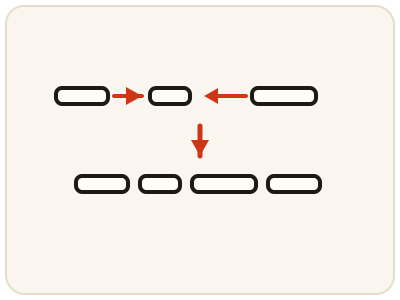
Remove Extra Spaces tidies text by collapsing repeated spaces between words into single spaces and removing extra blank lines — the double spaces and empty gaps that hurried typing and copy-paste leave behind, making documents look uneven and occasionally breaking forms and content systems. It focuses on spacing only: normal paragraph structure is meant to stay intact, so check that intentional paragraph breaks still look right in the output. It runs entirely in your browser, so drafts and personal writing stay private.
02 Workflow
How to use Remove Extra Spaces
- 1Paste your textAdd the document, email or pasted content with extra spaces or blank lines. It stays on your device.
- 2Run the cleanupRepeated spaces collapse to singles and extra blank lines are removed in one pass.
- 3Check the paragraphsReview the output to confirm your paragraph breaks and structure still look the way you want.
- 4Copy the cleaned textPaste it into its final destination and give it a quick read to confirm it looks even throughout.
03 Good to know
Frequently Asked Questions
What does Remove Extra Spaces actually do?
It collapses repeated spaces between words into single spaces and removes extra blank lines, leaving evenly spaced, tidy text.
Will it remove all line breaks?
It targets extra blank lines and repeated spaces, not normal paragraph structure. Review the output to make sure your paragraphs still look the way you want.
Is it different from the Text Cleaner?
Yes. This tool focuses specifically on spaces and blank lines, while the Text Cleaner also handles other mess such as HTML tags and general formatting clutter.
Why do double spaces keep appearing in my documents?
Usually from hurried typing, or from text copied from a web page or PDF, where extra spaces and blank lines come along with the words. They make a document look uneven and can occasionally break forms and content systems that expect single spacing.
Can extra spaces break a form or a website?
Sometimes. Extra spaces can push a field over a character limit, or carry invisible formatting into a content system that then displays odd gaps. Cleaning the spacing first is a quick fix before submitting a form or publishing a page.
Can I clean up text pasted from a PDF?
Yes. Text copied from a PDF often arrives with double spaces and empty gaps between lines. Paste it here, run the cleanup, and the repeated spaces collapse to singles and the extra blank lines are removed in one pass.
Will my paragraphs stay separate after cleaning?
Yes — the tool targets extra blank lines and repeated spaces, not normal paragraph structure. Paragraph breaks are meant to stay intact, but give the output a quick read to confirm it looks the way you want before pasting it into its final destination.