SERP Preview Tool
Preview how titles and descriptions look in search.
01 Overview
About SERP Preview Tool
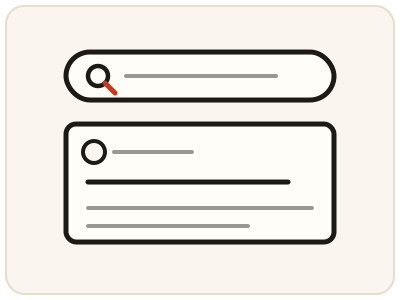
SERP Preview Tool shows how your page title and description will look in search results, the way a searcher would see them, before you publish — instead of guessing from a form field in your CMS. A title that gets cut off, or a description that ends mid-sentence, wastes the chance to earn a click, so put the important words early and compare a few versions. The preview is a realistic guide, not a promise: search engines may rewrite titles or descriptions, and the exact display can vary. It runs entirely in your browser.
02 Workflow
How to use SERP Preview Tool
- 1Enter your titleType the title you plan to use for your page. It stays on your device.
- 2Enter your descriptionAdd the meta description you plan to use alongside it.
- 3Study the previewShorten or rewrite anything that looks cut off or unclear, keeping the most important words near the start.
- 4Keep the clearest versionCompare a few versions, pick the one clearest to someone who has never seen your page, and copy it into your page or CMS.
03 Good to know
Frequently Asked Questions
What is a SERP?
SERP stands for search engine results page. It is the page of results a search engine shows after someone searches, including the title, URL and description snippet for each result.
Why do titles and descriptions get cut off?
Search engines show only a limited width for titles and descriptions. Text longer than that space is truncated, so previewing helps you keep the important words visible.
Does the preview guarantee how my result will look?
No. Search engines may rewrite titles or descriptions, and the exact display can vary. The preview is a realistic guide, not a promise of the final result.
What is a meta title?
It is the page title shown as the clickable headline in search results. It comes from the page's title tag, and it is usually the first thing a searcher reads, so it should describe the page clearly and put the important words early.
Why does Google rewrite my title?
Search engines may replace a title they judge unclear, too long, or mismatched with the search query, using text from the page instead. Writing a clear, accurate title that matches the page content reduces the chance of a rewrite.
What makes a good search snippet?
A clear title, an accurate description that matches the page, and the important words near the start so they survive truncation. Compare a few versions in the preview and keep the one clearest to someone who has never seen your page.
Does the preview show mobile results too?
Titles and descriptions crop differently on small screens, so check the preview at a mobile width as well as desktop. The steps suggest checking on a small screen, since a title that fits on desktop may be cut off on a phone.