SVG Converter
Export SVG artwork as PNG or JPG.
01 Overview
About SVG Converter
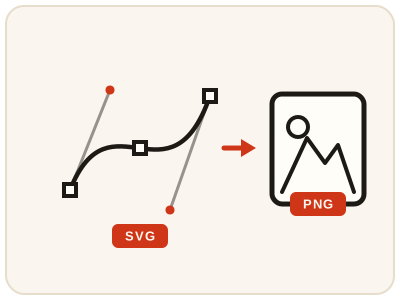
SVG Converter exports SVG vector artwork — logos, icons and illustrations defined by shapes rather than pixels — as a PNG or JPG picture you can share, upload or place into documents. Because SVG art is resolution-independent, the export renders crisply at the size you choose. Pick PNG for transparency and sharp logo edges, JPG for a smaller general-purpose file. Keep the original SVG: once exported, the artwork is ordinary pixels and no longer editable as shapes. It runs entirely in your browser.
02 Workflow
How to use SVG Converter
- 1Choose an SVG filePick the SVG artwork from your device. It is exported locally, never uploaded.
- 2Pick PNG or JPGPNG if you need transparency or sharp logo edges; JPG for a smaller file where a solid background is fine.
- 3Start the exportThe picture version is prepared in your browser in a moment.
- 4Preview and downloadConfirm the artwork looks correct, save the PNG or JPG, and keep the SVG as your editable master.
03 Good to know
Frequently Asked Questions
Should I export my SVG as PNG or JPG?
Use PNG for logos, icons and graphics where transparency or sharp edges matter. Use JPG for photographic artwork or when you simply want a smaller file with a solid background.
Will the exported image stay sharp?
Yes, at the size you export it. SVG artwork is made of shapes rather than pixels, so the export renders cleanly. For very large print use, export at a generous size and check the result before sending it on.
Can I edit the exported PNG or JPG like the SVG?
No. Once exported, the artwork becomes an ordinary picture made of pixels, so you lose the editable shapes and layers. Always keep your original SVG for future edits.
Can I convert an SVG logo to PNG with a transparent background?
Yes — choose PNG. The transparent parts of the artwork stay transparent, so the logo can sit over any background in a document, slide or web page. JPG would fill those areas with a solid background.
My exported image looks blurry — how do I get a sharper one?
Export at a larger size. The picture is rendered at the dimensions you choose, so pick dimensions at least as large as the biggest place you will use it — for print, export generously and check the result before sending it on.
Can I put an SVG logo into a Word or PowerPoint document?
Many office versions struggle with SVG files. Convert the logo to PNG here and insert that instead — it displays and prints reliably, and the transparent background is preserved.
Can I convert an SVG icon for use as a profile or app image?
Yes. Export the icon as a PNG at a square, generous size and upload that — platforms accept PNG everywhere, while SVG uploads are often refused.