WebP Converter
Convert to and from WebP.
01 Overview
About WebP Converter
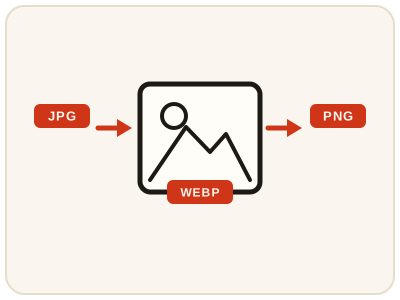
WebP Converter works in both directions: turn WebP pictures into JPG or PNG when an editor, app or older system refuses WebP, or turn JPG and PNG pictures into WebP when you want smaller files for a website. The format changes but the picture does not gain detail, and converting a WebP with transparency to JPG drops the see-through areas while PNG keeps them. It runs entirely in your browser.
02 Workflow
How to use WebP Converter
- 1Choose your imagePick a WebP, JPG or PNG picture from your device. It never leaves your device.
- 2Pick the directionDecide whether you are converting to WebP for smaller web files, or from WebP to another format for compatibility.
- 3Choose the target formatJPG for the smallest compatible photo file, PNG when transparency has to survive.
- 4Convert and downloadPreview the result, then save the converted file and keep your original for future conversions.
03 Good to know
Frequently Asked Questions
What is WebP, and why do websites use it?
WebP is an image format designed to produce smaller files than JPG or PNG at similar visual quality. Smaller files mean faster page loads, which is why many websites now serve images in WebP.
Should I convert WebP to JPG or PNG?
Choose JPG when you want the smallest compatible file for photos and sharing. Choose PNG when the picture has transparency you need to keep, or when you are working with graphics and logos.
Will converting to WebP make my picture sharper?
No. Conversion changes how the picture is stored, not how much detail it contains. A converted file will look the same as the original at normal viewing sizes.
Why do images I save from websites arrive as WebP files?
Websites serve WebP because it loads faster, and browsers save the picture in the format it was delivered — there is usually no warning. Converting the saved file to JPG or PNG here gives you a copy that opens everywhere.
Can I just rename a .webp file to .jpg?
No. Renaming changes only the name; the picture inside is still WebP data, and stricter apps and upload forms will still reject it or fail to open it. A real conversion re-encodes the picture into the new format, which is what this tool does.
How do I convert JPG or PNG images to WebP for my website?
Upload the JPG or PNG, choose WebP as the target, and convert. WebP versions of the same picture are usually smaller, which helps pages load faster — keep the originals as masters in case you need them elsewhere.
Can I convert WebP images on my phone?
Yes. The converter runs in your phone's browser, so a WebP saved from a website can be turned into a JPG or PNG and shared or uploaded straight from the phone.