Base64 Encoder
Encode text or files to Base64.
01 Overview
About Base64 Encoder
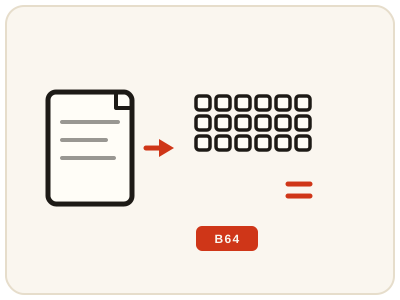
Base64 Encoder converts text or file contents into Base64 — a text-safe encoding using only letters, digits and a few symbols — so binary data can travel through systems built for plain text: email bodies, JSON payloads, URLs, data URIs and configuration files. The important distinction: encoding is not encryption. Anyone holding the Base64 string can decode it back, so never treat it as a way to hide secrets — its purpose is safe transport and storage. It runs entirely in your browser, and the equals signs at the end of some outputs are normal padding.
02 Workflow
How to use Base64 Encoder
- 1Enter text or choose a fileType or paste the text you want to encode, or choose a file where the tool supports file input. Double-check it — a small typo produces a different string.
- 2Run the encoderThe input is converted into its Base64 representation locally on your device.
- 3Review the outputConfirm it contains only Base64 characters and ends with padding if the length requires it.
- 4Copy and verifyUse the encoded string in your API request, data URI, email or configuration. To verify, decode it back and confirm it returns your original input.
03 Good to know
Frequently Asked Questions
What is Base64 encoding used for?
It converts binary or special-character data into plain text so it can travel safely through systems built for text, such as email, JSON payloads, and data URIs for embedded images.
Is Base64 encoding the same as encryption?
No. Encoding is reversible by anyone and provides no secrecy at all. Encryption requires a key and is designed to keep data private; Base64 only changes its representation.
Why does Base64 output sometimes end with equals signs?
Those are padding characters. Base64 works in groups of three bytes, so when the input length is not a multiple of three, padding fills the final group to keep the output well-formed.
How much bigger does Base64 make data?
About a third larger. Base64 represents every three bytes of input as four characters, so the encoded string is roughly 33 percent longer than the original. That overhead is the price of making binary data safe to carry as plain text.
Can I encode a file, not just text?
Yes, where the tool offers file input. The file contents are encoded in the same way as text, which is how images and other binary files are embedded in emails, JSON payloads and data URIs.
What is a Base64 data URI?
It is a way to embed small data directly in a page or stylesheet instead of linking to a separate file, written as data followed by the type, base64, and the encoded content. It suits small images and icons; for large files a normal file link is better.
Why should I never encode a password in Base64?
Because anyone who sees the encoded string can decode it instantly, with no key or effort needed. Base64 hides nothing. Store passwords in a password manager and never put a secret in an encoded string you share or save in plain text.