HTML Minifier
Minify HTML for smaller output.
01 Overview
About HTML Minifier
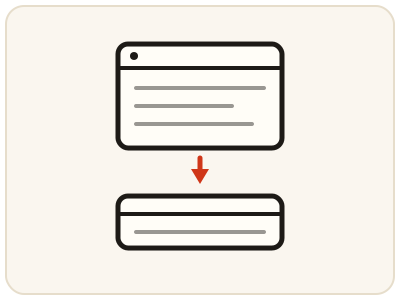
HTML Minifier removes unnecessary characters from HTML markup — extra whitespace, line breaks, indentation and comments — and produces a compact version that browsers render identically, so pages download faster and use less bandwidth. It is a final polish step for production templates, HTML emails and generated markup. Minification is one-way in practice: the compact output is hard to read, so keep your formatted original as the version you edit and minify a fresh copy whenever you deploy. It runs entirely in your browser.
02 Workflow
How to use HTML Minifier
- 1Paste your HTMLAdd the markup you want to compress. Remove draft comments you do not want shipped first, if they are still present.
- 2Run the minifierWhitespace and comments are stripped locally and the markup collapses into compact form.
- 3Compare and testCheck how much the page shrank, then test the minified HTML in a browser to confirm it renders exactly as before.
- 4Copy for deploymentUse the compact output for deployment, embedding or sending — and re-minify after any future change to the original.
03 Good to know
Frequently Asked Questions
Will minified HTML still display correctly?
Yes. Minification only removes characters that do not affect rendering, such as extra whitespace and comments. The tags, attributes and content that define the page stay intact.
How much smaller does HTML get when minified?
It depends on how much indentation and commenting the original contains. Heavily indented templates often shrink by 10 to 30 percent; already compact markup shrinks less.
Is minifying the same as compressing with gzip?
No, but they complement each other. Minification removes unnecessary characters first, and server compression like gzip then compresses the smaller file even further.
Should I minify HTML emails?
Yes, minification is a common final step for HTML emails, where a smaller file downloads faster. Keep the readable original as your working copy, minify a fresh copy for sending, and test the minified email in your email client before sending it to a list.
Does minified HTML load faster?
Yes. A smaller file downloads faster, which matters most on slow or mobile connections. Server compression such as gzip then compresses the smaller file even further, so the two techniques stack rather than replace each other.
Can I get my readable HTML back after minifying?
Partly. Running the minified output through the HTML Formatter restores indentation and line breaks, so it reads well again. Comments removed during minification are gone for good, which is why you should always keep the original.
Does minification remove anything visible on the page?
No. It removes whitespace, line breaks, indentation and comments that do not affect rendering, while tags, attributes and text content stay intact. Always test the minified page in a browser before deploying, to confirm it renders exactly as before.