JavaScript Minifier
Minify JavaScript client-side.
01 Overview
About JavaScript Minifier
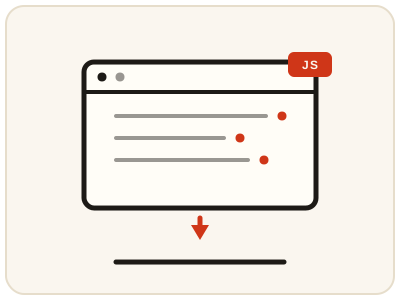
JavaScript Minifier shrinks JavaScript by removing whitespace, line breaks, indentation and comments, producing a compact script that runs exactly like the original — smaller downloads and faster parsing, especially on mobile networks. The compact output is a delivery artifact, not a working copy: develop and debug the readable original, then minify a copy for release and re-minify whenever the original changes. And minified is not hidden: the code is still readable to anyone determined, so never put secrets in client-side JavaScript. It runs entirely in your browser.
02 Workflow
How to use JavaScript Minifier
- 1Paste your scriptAdd JavaScript that already works correctly — minification preserves behaviour rather than fixing bugs.
- 2Run the minifierWhitespace, line breaks and comments are removed locally in your browser.
- 3Check and testSee how much smaller the output is, then test the minified script in a browser to confirm it runs exactly as before.
- 4Copy for releaseUse the compact code for deployment, embedding or distribution, and re-minify after future changes to the source.
03 Good to know
Frequently Asked Questions
Will minified JavaScript run the same as the original?
Yes. Minification only removes characters that do not affect execution, such as whitespace and comments. The logic, functions and values remain the same.
Does minifying JavaScript hide my code?
No. Minified code is compact but still fully readable to anyone determined to read it. It is a size optimization, not a security measure — never put secrets in client-side JavaScript.
How much smaller does JavaScript get?
It varies with formatting and comments. Well-commented, generously spaced code often shrinks by 20 to 40 percent; already compact code shrinks less.
What is the difference between minifying and bundling JavaScript?
Minifying shrinks a single file by removing unnecessary characters. Bundling combines several files into one file, so the browser makes fewer requests. The two are often used together: bundle first, then minify the result for release.
Do I need source maps for minified JavaScript?
Source maps are helpful but not required. They let browser developer tools show the original readable code while the page actually runs the minified file, which makes debugging much easier. Keep the original source either way, since the minified file is not meant to be edited.
Can minifying break my JavaScript?
Minification preserves behaviour, so if the minified script fails, the source usually already had an error, such as a missing semicolon the original tolerated. Test the minified script in a browser before deploying it, and fix the source if it misbehaves.
Should I minify third-party libraries myself?
Usually not. Most popular libraries already ship a minified build, so use the published minified file rather than minifying the readable version yourself. Minify only your own code and any library that ships without a minified build.