SQL Formatter
Format SQL with readable structure.
01 Overview
About SQL Formatter
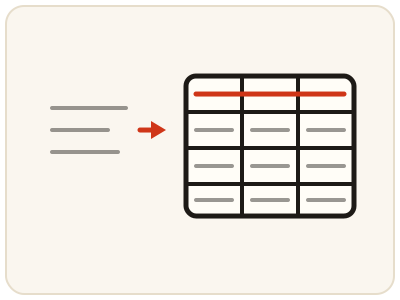
SQL Formatter takes a query written as one long, dense string — generated by an application, copied from a log or built by an ORM — and rewrites it with line breaks and indentation that reveal its structure: SELECT columns on their own lines, FROM and JOIN clauses separated, WHERE conditions grouped. Formatting changes only the layout, never the meaning, so a formatted query returns identical results — it is simply far easier to verify, explain and edit, and less likely to hide a logic error. It runs entirely in your browser, so table names and query logic stay private.
02 Workflow
How to use SQL Formatter
- 1Paste your queryAdd the complete query, including its SELECT list and FROM clause. It stays on your device.
- 2Run the formatterThe query is rewritten locally with consistent indentation and clause separation.
- 3Read it clause by clauseCheck joins, filters and grouping as you go; if you spot a logic problem, edit the condition directly in the formatted output.
- 4Verify and copyTest the edited query against your database before production use, then copy the formatted SQL into your editor, report or runbook.
03 Good to know
Frequently Asked Questions
Will formatting change what my query returns?
No. Formatting only adjusts whitespace and line breaks. The tables, columns, filters and ordering are unchanged, so the results are identical.
Can I format queries from any database?
The formatter handles standard SQL structure — SELECT, FROM, JOIN, WHERE, GROUP BY and ORDER BY — which is shared across most databases. Dialect-specific syntax is preserved as written.
Does the formatter fix SQL errors?
No. It improves readability but does not correct syntax or logic mistakes. Use it to spot problems more easily, then fix them yourself and test the query.
Does formatting SQL work for MySQL, PostgreSQL and SQL Server?
Yes for standard SQL structure, which is shared across those databases: SELECT, FROM, JOIN, WHERE, GROUP BY and ORDER BY. Dialect-specific syntax is preserved as written, so the formatted query keeps working in the database it came from.
Can I format a stored procedure or a long script?
Format one statement at a time for the clearest result. The formatter handles standard query structure, so paste the complete statement, check the formatted output clause by clause, and test it against your database before production use.
Will formatted SQL run faster?
No. Formatting changes only whitespace and line breaks, so the database executes exactly the same query and returns the same results at the same speed. The benefit is that a readable query is easier to verify, explain and fix.
How do I spot a wrong JOIN in formatted SQL?
Formatting puts each clause on its own lines, so the JOIN conditions sit visibly next to the tables they connect. Read each JOIN against the tables involved and check that the join keys match; a wrong key is much easier to see in formatted SQL than in one long line.