PDF to Excel
Export PDF text into Excel spreadsheets.
01 Overview
About PDF to Excel
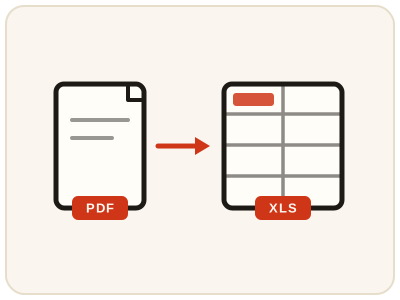
PDF to Excel extracts the text content of every page into its own worksheet, so lists and tabular data can be reused in a spreadsheet. It is the quick route from a PDF report, price list or statement to data you can sort, filter and total — instead of retyping rows by hand or copying them cell by cell.
02 Workflow
How to use PDF to Excel
- 1Upload your PDFThe file is read locally to pull out selectable text.
- 2Review the extracted textEach PDF page becomes a separate sheet in the workbook.
- 3Download the .xlsx fileOpen it in Excel, Google Sheets, or any spreadsheet app.
03 Good to know
Frequently Asked Questions
Is PDF to Excel free to use?
Yes, PDF to Excel is completely free without signup or added branding. File-size, page-count and request limits apply.
Will tables keep their columns?
Aligned horizontal tables can retain separate text cells. Complex grids, formulas, graphics and original styling are not reconstructed.
Does this work on scanned PDFs?
Image-only documents can attempt English OCR, producing text rather than reconstructed table formulas. Mixed scanned/text pages may need OCR PDF first.
How do I extract a table from a PDF into Excel?
Upload the PDF and download the .xlsx. The text of each page lands in its own worksheet, and where the PDF's text is aligned in rows and columns, those values arrive as separate cells you can sort, filter and total.
Can I convert a bank statement PDF to Excel?
If the statement is a text-based PDF, its text is extracted page by page into worksheets, which most people then tidy into columns for budgeting or bookkeeping. Check every figure against the original statement, and if the statement is a scanned image, run OCR PDF on it first.
Can I convert a PDF to Excel without uploading it?
Yes. The file is read locally in your browser to pull out its text — nothing is uploaded — which makes it a safer route for statements, invoices and other private documents.
Do I need Excel installed to use the converted file?
No. The .xlsx opens in Excel, Google Sheets, LibreOffice Calc and most other spreadsheet apps, including the free ones on a phone.