Word to PDF
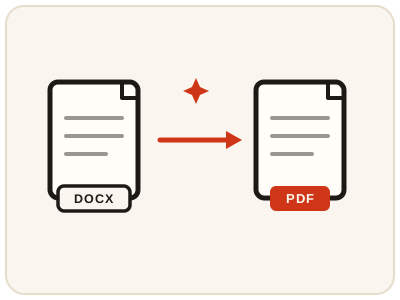
Convert DOCX files to PDF in your browser.
01 Overview
About Word to PDF
Word to PDF offers local browser rendering and, when configured, a server Office engine. Fonts, pagination and complex layouts can differ; review the output before sharing. Converting to PDF locks the layout in place, so a resume, assignment or invoice looks identical on every computer and phone, prints predictably, and cannot be edited by accident the way a Word file can.
02 Workflow
How to use Word to PDF
- 1Upload a .docx fileLegacy .doc files should be saved as .docx in Word first.
- 2Let it renderChoose local browser processing or the configured server engine, which uploads the document.
- 3Download the PDFReview page breaks, fonts and images in the downloaded PDF.
03 Good to know
Frequently Asked Questions
Is Word to PDF free to use?
Yes, Word to PDF is completely free without signup or added branding. File-size, page-count and request limits apply.
Are my files uploaded anywhere?
Browser processing stays on your device. Choosing the server Office engine uploads the document to the configured conversion service.
Does this support old .doc files?
Not yet. Save the file as .docx in Word, then convert.
How do I convert a Word document to PDF without losing formatting?
Upload the .docx and download the rendered PDF, then review page breaks, fonts and images before sharing. Browser rendering can substitute fonts and shift pagination on complex layouts; where the server Office engine is configured, it renders with a real Office engine for a closer match.
Can I convert DOCX to PDF on my phone without installing an app?
Yes. The converter runs in your phone's browser, so you can turn a .docx into a PDF on Android or iPhone with nothing to install.
Can I turn my resume in Word into a PDF for job applications?
Yes — upload the .docx resume and download the PDF version employers expect. Check fonts and page breaks in the result first, since rendering can differ slightly from Word.
Why do my page breaks move when I convert a Word file to PDF?
Browser rendering can substitute fonts and shift pagination on complex layouts, so breaks can land differently from Word. Review the downloaded PDF before sharing; where the server Office engine is configured, it renders with a real Office engine for a closer match.
Can I convert several Word documents to PDF at once?
No — convert one .docx at a time. Each file is rendered and downloaded separately, so you can check its pages before moving on to the next.